How I built this site in an afternoon (with an AI pair programmer)
The nuts and bolts behind samuelaravinth.online. The stack, what it costs, how long it took, how many tokens it used, and everything that broke along the way.

This site started life in April 2025 as a single HTML page, hand-edited on GitHub at two in the morning. Thirteen commits, one of which was titled “added mutton kuskava”. It worked, technically.
This week I rebuilt it properly: a portfolio and blog, written in Obsidian, published by pushing to GitHub, served on my own domain. I did it by pairing with Claude Code, an AI coding agent, and kept notes on what it actually took. Here they are.
The short version
About 3 hours in one afternoon session, plus an evening for the first draft. About 1,100 lines of Astro, TypeScript and CSS. Hosting costs nothing. The session used about 276k tokens of context and a quarter of my Claude Pro 5-hour allowance.
Before and after
The first Astro version, from the night before. Dark, functional, a bit plain:
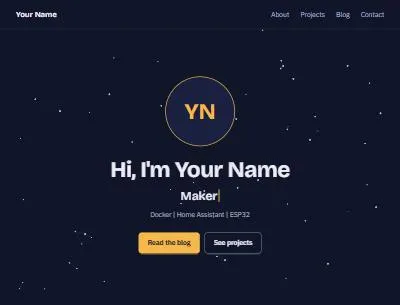
The first Astro version, 4 November.
And the site you’re reading now:
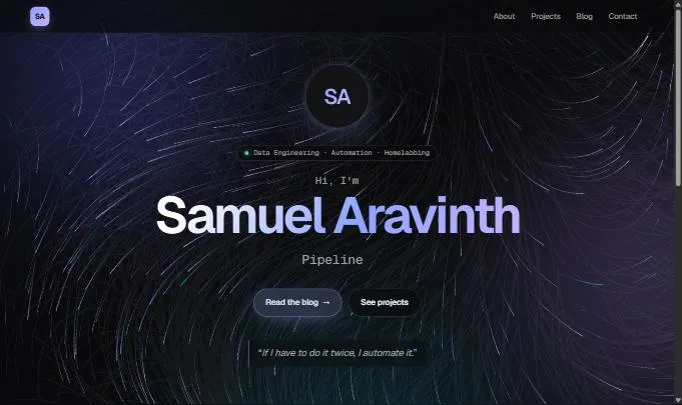
Geist type, a fluid flow-field background and an aurora glow. Move your mouse over the home page; it stirs.
What you actually need
The shopping list is short:
- A GitHub account. Free. It stores the code, builds the site and hosts it.
- A domain. Mine is from Porkbun. This is the only thing with a yearly fee.
- Claude Code. I used it on my Claude Pro subscription. No API key, no separate bill.
- Obsidian (optional). Free. It’s where I write posts and drop images.
What you don’t need is interesting too: no server, no database, and no Node.js on my machine. Every build runs in GitHub Actions. I never ran the site locally once.
The stack
- Astro 7 turns Markdown and components into plain static HTML. There’s no server code at all.
- GitHub Actions builds the site on every push to
main, in about a minute. - GitHub Pages hosts the files and issues a free HTTPS certificate.
- Porkbun DNS points
samuelaravinth.onlineat GitHub with four A records. - Geist and Geist Mono for type, loaded from Google Fonts.
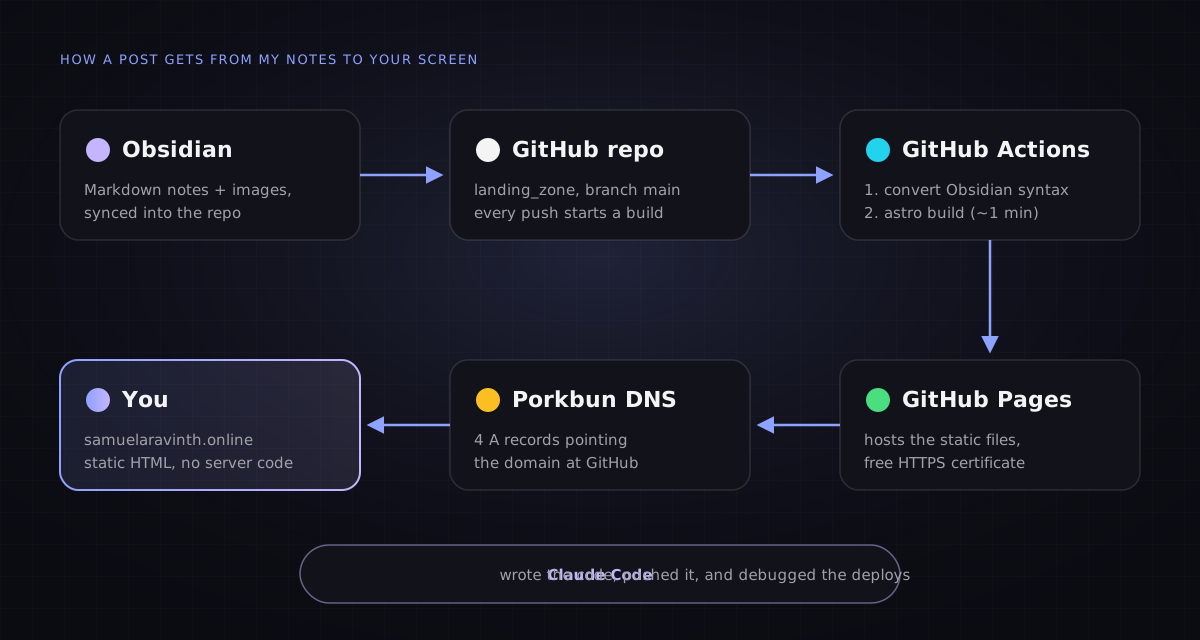
Notes go in on the left, a website comes out on the right.
How the afternoon went
Git keeps the receipts, so this timeline is exact:
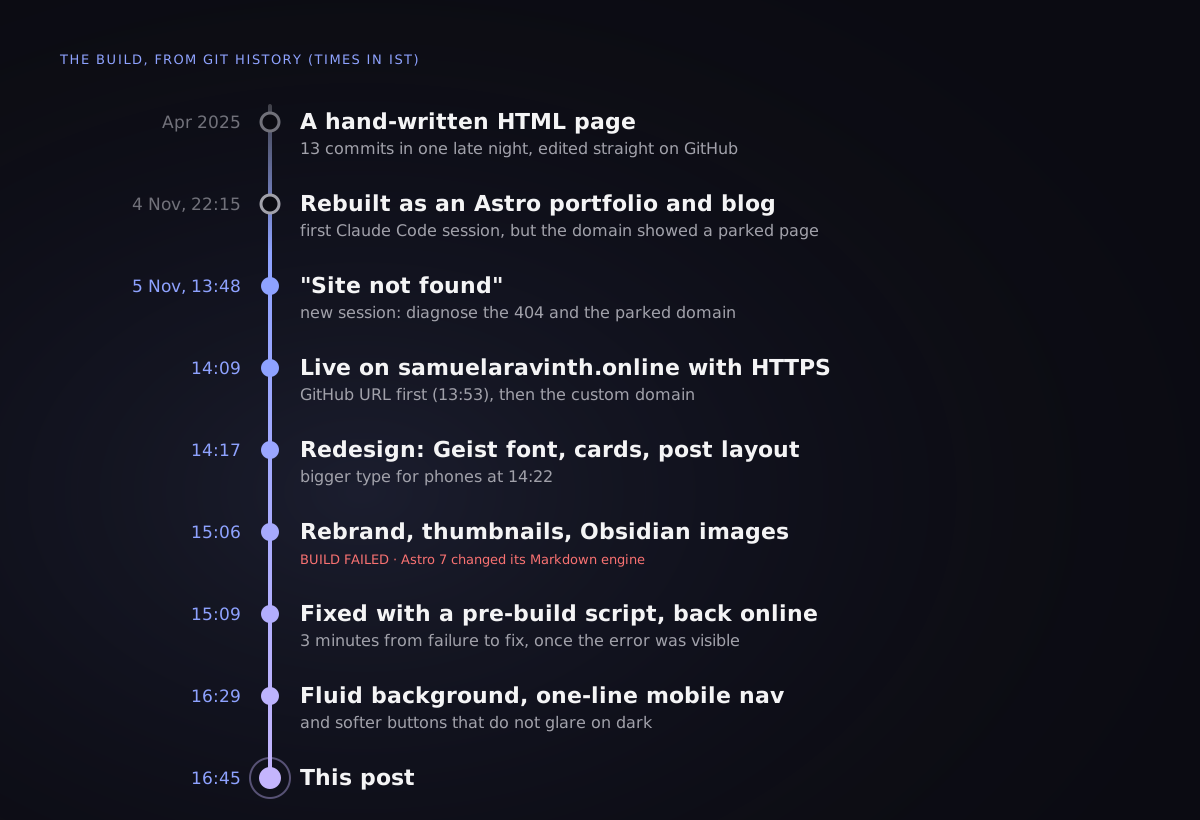
From “site not found” to this post in under three hours.
1. “Site not found”
My first message was a link and a complaint. The site was 404ing. The cause was a naming rule I didn’t know: GitHub only serves username.github.io from a repository named exactly that. My site lived in a repo called landing_zone, so its real address was botvillan.github.io/landing_zone/. Two lines of Astro config later, it loaded there.
2. The domain that wasn’t
The site was configured for my domain, but the domain showed a registrar “Coming Soon” page. My Porkbun records were correct the whole time. My router had cached the old answer. Asking Cloudflare’s resolver (1.1.1.1) directly showed the right GitHub addresses straight away.
Lesson: when DNS looks wrong, ask a public resolver before you change anything.
3. “Certificate not yet issued”
GitHub showed a scary warning about HTTPS. The certificate had in fact been issued by Let’s Encrypt a few minutes earlier; the settings page just hadn’t caught up. Patience fixed it.
4. The build that broke
Adding Obsidian image support broke the build, and GitHub hides build logs from anyone without admin rights, including the agent working on my repo. The fix was neat: a workflow step that turns the last 60 lines of a failed build into a public error annotation. The real error appeared on the next run. Astro 7 had switched to a new default Markdown engine, and plugins written for the old one now need an extra package.
Rather than add a dependency, the Obsidian conversion moved into a small script that runs before the build. Three minutes from failure to fix, once the error was visible.
Design choices
- Geist for everything, with Geist Mono for dates, tags and code. It’s clean, slightly technical, and reads well on a dark background.
- A near-black palette with one periwinkle accent, so the content does the talking.
- Cards with thumbnails. If a post has no image, the site draws one from its tags: pipelines for data, a node graph for automation, a server rack for homelab.
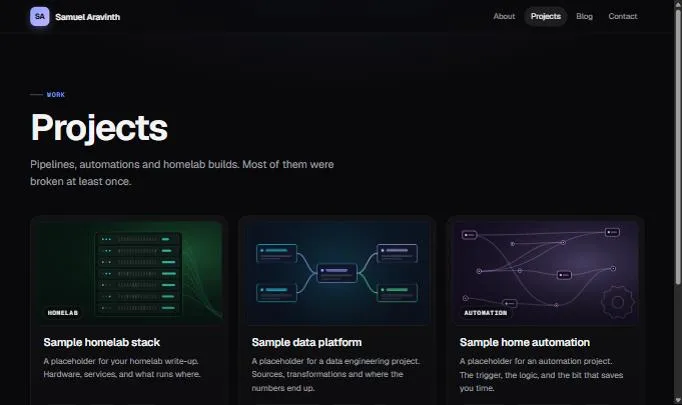
None of these thumbnails are image files. They’re drawn by the site from each project’s tags.
- Phones first. Larger type, a one-line nav, and buttons that don’t glare.
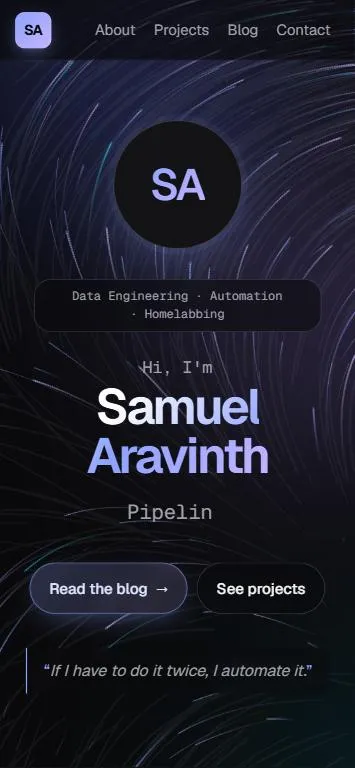
The same page on a phone.
Writing from Obsidian
Posts are Markdown notes in an Obsidian folder that syncs to the repository. Images are pasted straight into the note, and Obsidian’s ![[image.png]] syntax just works. If I forget a title or a description, the site fills one in rather than failing the build. The details are in Publishing from Obsidian.
Tokens, time and money
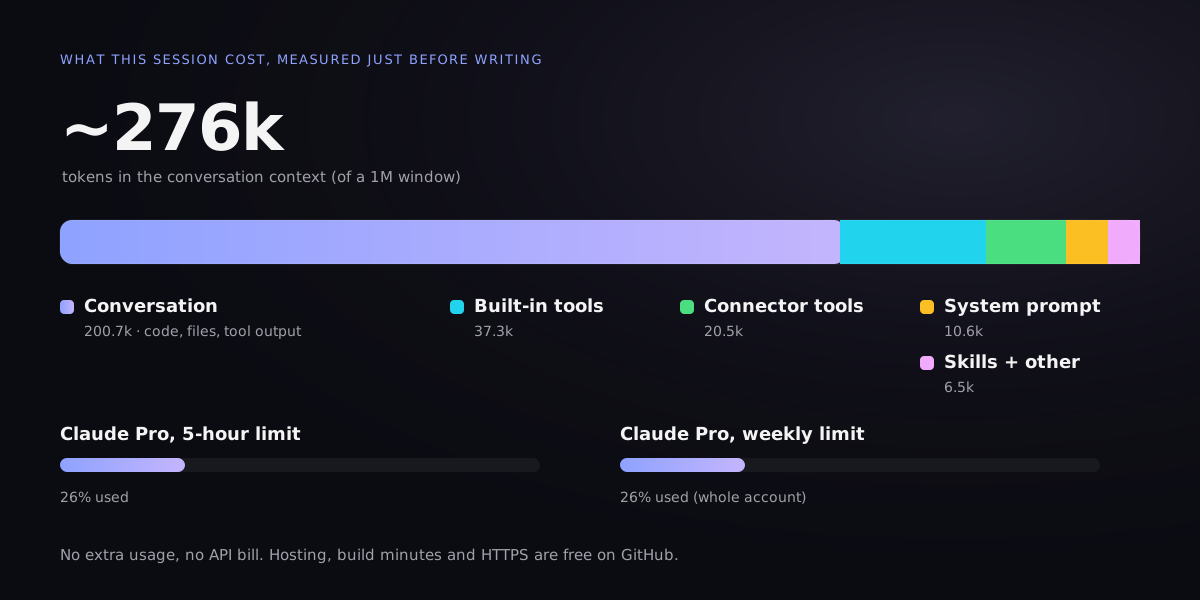
Measured from the app just before I wrote this.
Tokens. By the time of writing, the conversation held about 276k tokens: roughly 200k of code, files and tool output, plus 75k of fixed overhead for the agent’s tools and instructions. That’s the size of the context, not a bill. The agent re-reads it every turn, mostly from cache. On the Claude Pro plan it showed up as 26% of the 5-hour limit and 26% of the weekly limit. The first evening’s draft isn’t included in those numbers.
Time. The session ran from about 13:48 to 16:45 IST, and a fair share of that was me looking at the result and asking for changes:
| Stage | Time |
|---|---|
| Fix the 404, connect the domain, HTTPS | ~20 min |
| Redesign and mobile sizing | ~15 min |
| Rebrand, thumbnails, Obsidian images, build fix | ~50 min |
| Fluid background, mobile nav, this post | ~1.5 h |
Money. GitHub Pages, Actions minutes and the HTTPS certificate are free for a public repository. The real costs are the domain and the Claude subscription I already had.
What I’d do differently
- Point DNS before setting the custom domain. Half of the early confusion was a domain that wasn’t connected yet.
- Install Node locally. Building blind in CI worked, but a local preview would have caught the Astro 7 change in seconds.
- Give images unique names. Obsidian embeds find images by name, so
image.pngfive times over is asking for trouble.
What’s next
Real posts: data pipelines, the automations that run my week, and whatever my homelab is doing to itself this month. If I have to do it twice, I’ll automate it, and then I’ll write it up here.